Notepad++ v8.4.8 Release Candidate 3
-
Notepad++ v8.4.8 Release Candidate 3:
http://download.notepad-plus-plus.org/repository/8.x/8.4.8.RC3/Fix from v8.4.8 RC2:
- Fix issue that theme is not remembered through the session when Notepad++ is launched via CMD.
- Fix search result not applying new theme. (Fix #12588)
- Update Lua autocompletion. (Impmentation #12657)
edit:
- Add missing XML files:
pascal.xml&nppexec.xmlfor function list andpowershell.xmlfor autocompletion.
Change log:
- Update to Scintilla 5.3.2 and Lexilla 5.2.1. (implement #12624)
- Dark mode: Add “Follow Windows dark/light mode” feature, and toolbar, tabbar and theme choices are remembered for 2 modes separately. (Fix #9183, #9992, #10153, #10239, #10544, #11867, #10644)
- Fix inconsistencies at OS-forced Notepad++ v8.4.7 exit. (Fix #12541)
- Make tab context menu customizable. (Fix #12170)
- Make Macro & Run menu organizable with submenu by modifying shortcuts.xml. (Fix #5349, implement #12617)
- Fix crash on Win32 Namespace prefixed file name. (Fix #12453)
- Fix delimiter selection crash issue. (Fix #12384)
- Improve performance for the “Remove Empty Lines” command. (Fix #12462, implement #12544)
- Fix theme not working in cloud mode and portable mode issue. (Fix #6092, #10801, #12296)
- Fix autocomplete/calltip colors not applied when changing themes. (Fix #12514)
- Add dark autocompletion icons for dark themes. (Fix #12549)
- Fix search result not applying new theme. (Fix #12588)
- Fix sorting failure in zero-length column mode selection. (Fix #12299)
- Fix Default Language not working for the 1st empty file with empty session. (Fix #12586)
- Enhance “Go to settings” in Style Configurator. (Implement #12650, #12634)
- Fix themes’ inconsistent behaviour. (Fix #12642, #12508)
- Fix incorrect plugin architecture reports partially. (Fix partially #12565)
- Enhance Properties file: add/improve the syntax folding/highlighting. (Implementation)
- Add vertical scroll bar on all combobox in Find Replace dialog. (Fix #12459)
- Function List: Add Pascal/Delphi & NppExec plugin’s scripting, enhance SQL. (Fix #3664, #12517, implemnt #12625)
- Autocompletion: add PowerShell, fix some entries in PHP, update for Lua. (Fix #12492, implement #12641, #12657)
- Update CPP & PowerShell keywords. (Fix #11936, #5004)
- Fix the tab context menu reload command’s state not synchronized. (Fix #12579)
-
D donho referenced this topic on
-
@donho плохое обновление, после обновления пропали все файлы из Notepad++
-
@Андрей-Плотников
Что вы имеете ввиду? Какие файлы? Настроек или свои текстовые?Пишите по Английски, чтобы все участники понимали ваше сообщение!
-
@donho said in Notepad++ v8.4.8 Release Candidate 3:
Function List: Add Pascal/Delphi & NppExec plugin’s scripting, enhance SQL. (Fix #3664, #12517, implemnt #12625)
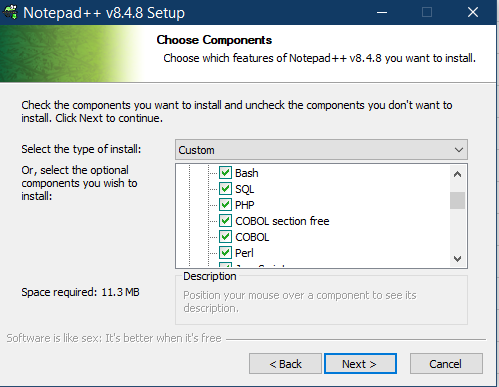
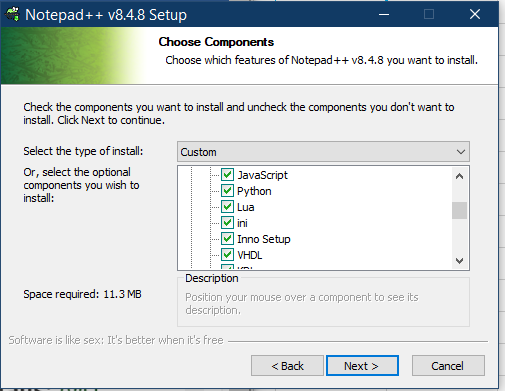
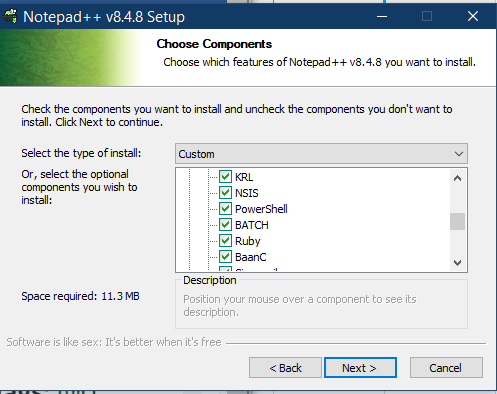
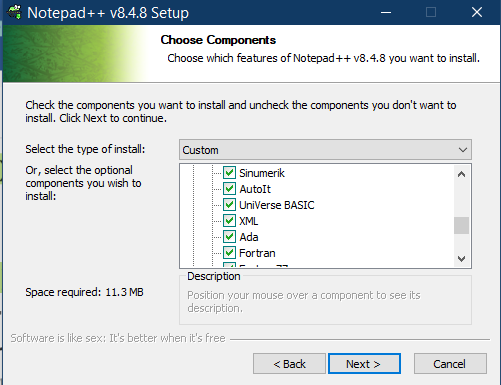
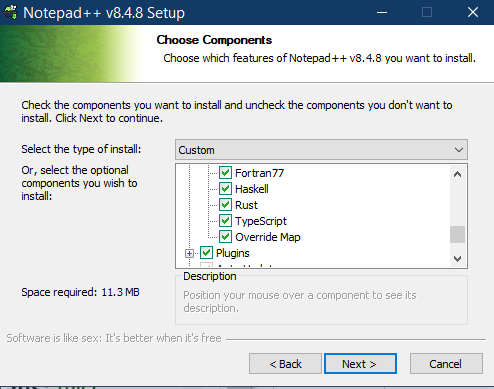
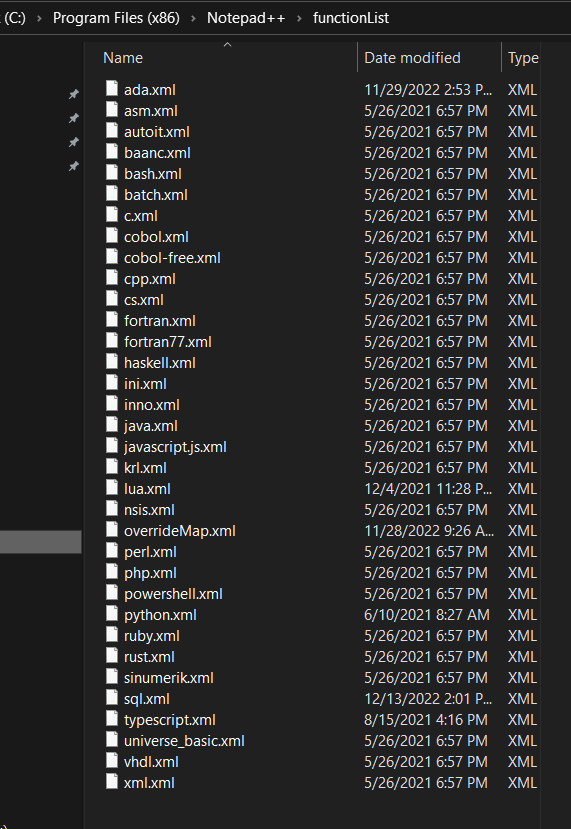
This is not working. I even uninstalled and reinstalled Notepad ++ and Pascal does not show anything in the Function List.
It is also not shown it the list during the installation: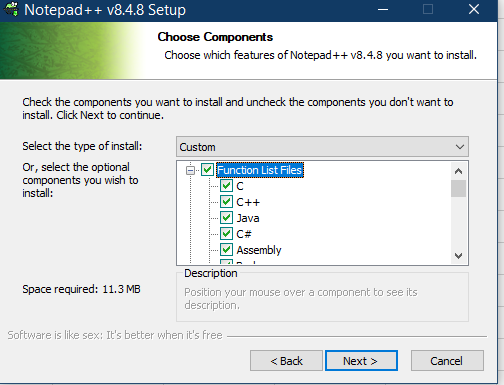
-
@James-Richters said in Notepad++ v8.4.8 Release Candidate 3:
It is also not shown it the list during the installation:
Interesting. It is in the portable edition:
PS VinsWorldcom ~\Downloads > unzip -l .\npp.8.4.8.portable.x64.zip | grep pascal
    10267  2022-11-14 16:33   functionList/pascal.xml
Cheers.
-
Interesting. It is in the portable edition:
That’s the one I tried before replying to James’s other post. Someone just forgot to put it into the installer.
-
@Michael-Vincent said in Notepad++ v8.4.8 Release Candidate 3:
Interesting. It is in the portable edition:
Yes it is… I didn’t want to change my setup, so I downloaded the portable version and just copied the Function List files to my normal installation. There was one other file missing:
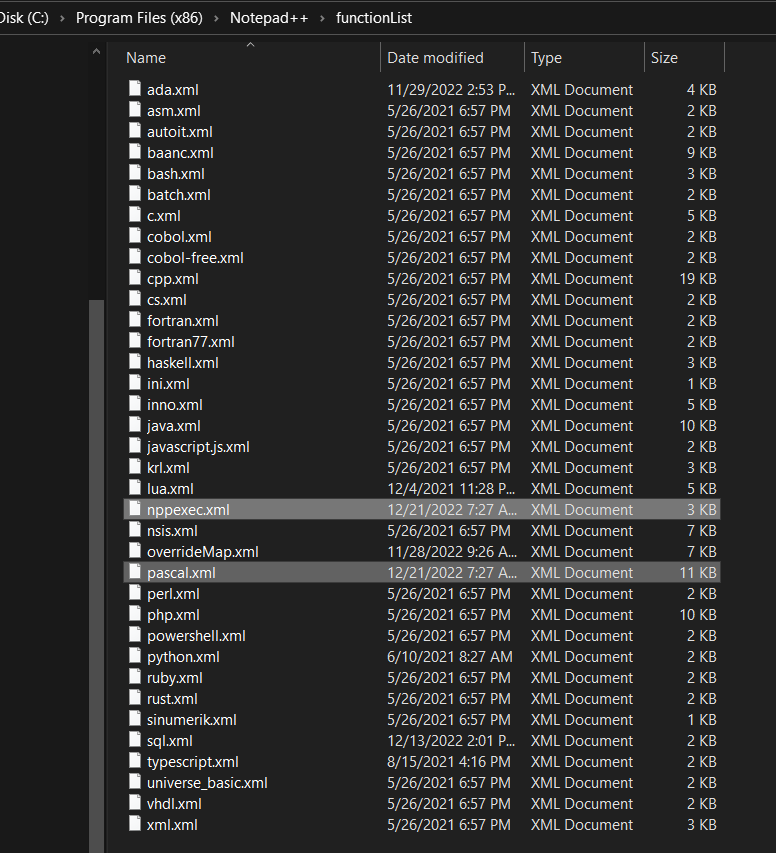
Pascal is working now. Thank You
-
all text files, 35 pieces, just disappeared
-
@Андрей-Плотников
I need more detail:
How did you do your update?
And your Notepad++ version?
Could you provide your Debug Info (Menu?->Debug Info...). -
FYI: I’ve just updated the binary packages, all the executable files are remained the same, only the missing XML files are added:
pascal.xml&nppexec.xmlfor function list andpowershell.xmlfor autocompletion.
Please redownload packages if you want to check if all files are there. -
INI File styles can not be changed.
https://github.com/notepad-plus-plus/notepad-plus-plus/issues/12696
-
@Yaron said in Notepad++ v8.4.8 Release Candidate 3:
INI File styles can not be changed.
https://github.com/notepad-plus-plus/notepad-plus-plus/issues/12696
Thank you for the bug report!
-
-






Hello! It looks like you're interested in this conversation, but you don't have an account yet.
Getting fed up of having to scroll through the same posts each visit? When you register for an account, you'll always come back to exactly where you were before, and choose to be notified of new replies (either via email, or push notification). You'll also be able to save bookmarks and upvote posts to show your appreciation to other community members.
With your input, this post could be even better 💗
Register Login