Notepad++ release 8.9.9.1
-
Continue using your old, insecure OS
A very good solution when there is no solution at all))
-
I have this option disabled immediately after installing Windows 7
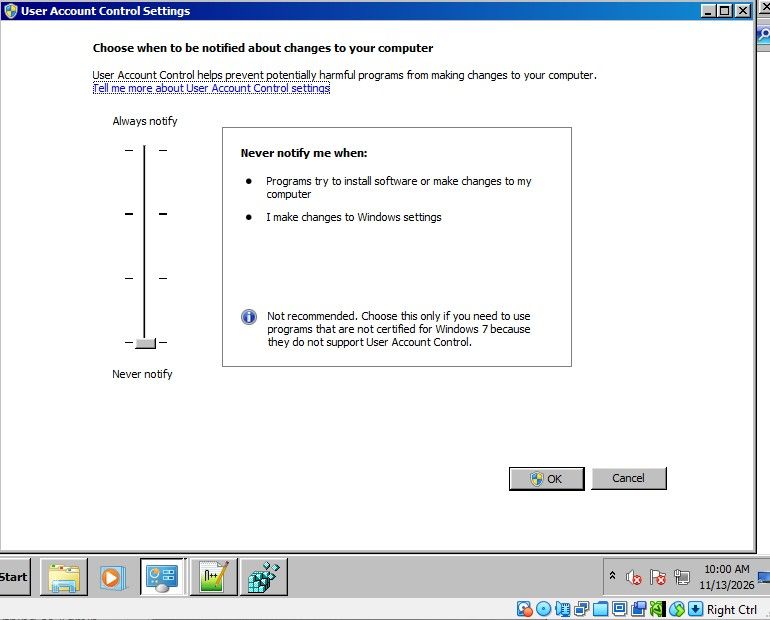
Okay, I found an old Win7 VM (it was 32bit, but it’s Win7). I verified I have the same “Never Notify Me” (lowest setting) there. I see that in that mode, Windows actually just runs everything as Admin (which is the wrong way for that OS to have implemented it), so that’s why Notepad++ is running As Administrator.
I ran the same batch file I showed above, and verified that the context menu opens one file just fine. Then I selected multiple files while Notepad++ was still running, and that context menu opened all of them just fine – no UAC prompt, no files ignored. Then I closed Notepad++, and selected 3 files and ran that context menu entry, and it opened all three just fine – no UAC prompt, no files ignored.
(I tried both with files in a normal directory, and with files in a c:\program files\ directory, and both worked just fine)
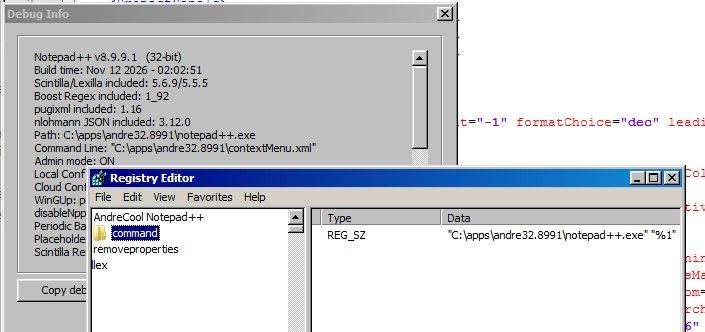
Notepad++ v8.9.9.1   (32-bit)
Build time: Nov 12 2026 - 02:02:51
Scintilla/Lexilla included: 5.6.9/5.5.5
Boost Regex included: 1_92
pugixml included: 1.16
nlohmann JSON included: 3.12.0
Path: C:\apps\andre32.8991\notepad++.exe
Command Line: "C:\apps\andre32.8991\change.log"
Admin mode: ON
Local Conf mode: ON
Cloud Config: OFF
WinGUp: present
disableNppAutoUpdate.xml: present
Periodic Backup: ON
Placeholders: OFF
Scintilla Rendering Mode: SC_TECHNOLOGY_DIRECTWRITE (1)
Multi-instance Mode: monoInst
asNotepad: OFF
File Status Auto-Detection: cdEnabled4CurrentFile
Dark Mode: OFF
Display Info:
    primary monitor: 800x600, scaling 100%
    visible monitors count: 1
    installed Display Class adapters:
        0000: Description - VirtualBox Graphics Adapter (WDDM)
        0000: DriverVersion - 7.1.8.18469
OS Name: Windows 7 Enterprise (32-bit)
OS Build: 7601.23964
Current ANSI codepage: 1252
Plugins:
    mimeTools (3.2)
    NppConverter (4.7)
    NppExport (0.4)
So even in Windows 7, I cannot replicate your problem. I still find no evidence that the problem is in Notepad++ itself.
What happens if you switch from the lowest security to the second-lowest (in standard US-EN, “Notify me only when programs try to make changes to my desktop (do not dim my desktop)”) or any of the others. (I tried that 3rd level, or the 2nd, or the 1st, and it still worked: it didn’t run Notepad++ as Admin anymore, and when I tried to save a protected file, Notepad++ correctly asked for UAC, and the save was successful.)
So nothing I do replicates your problem. I am sorry.
-
So even in Windows 7, I cannot replicate your problem.
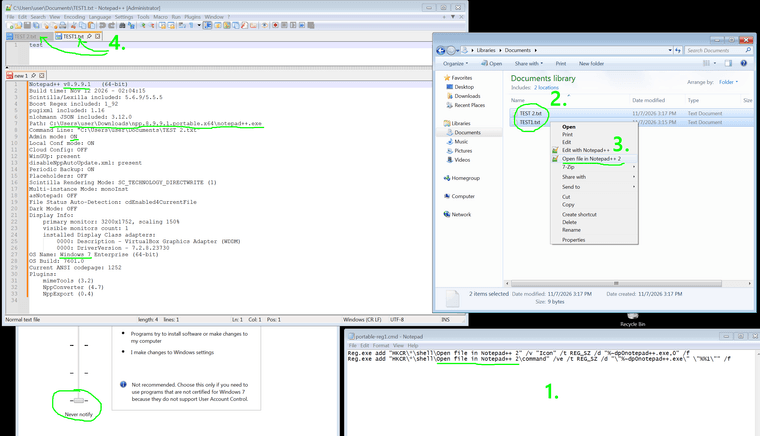
Me neither (64-bit Win7 SP1 VM):
-
So nothing I do replicates your problem. I am sorry.
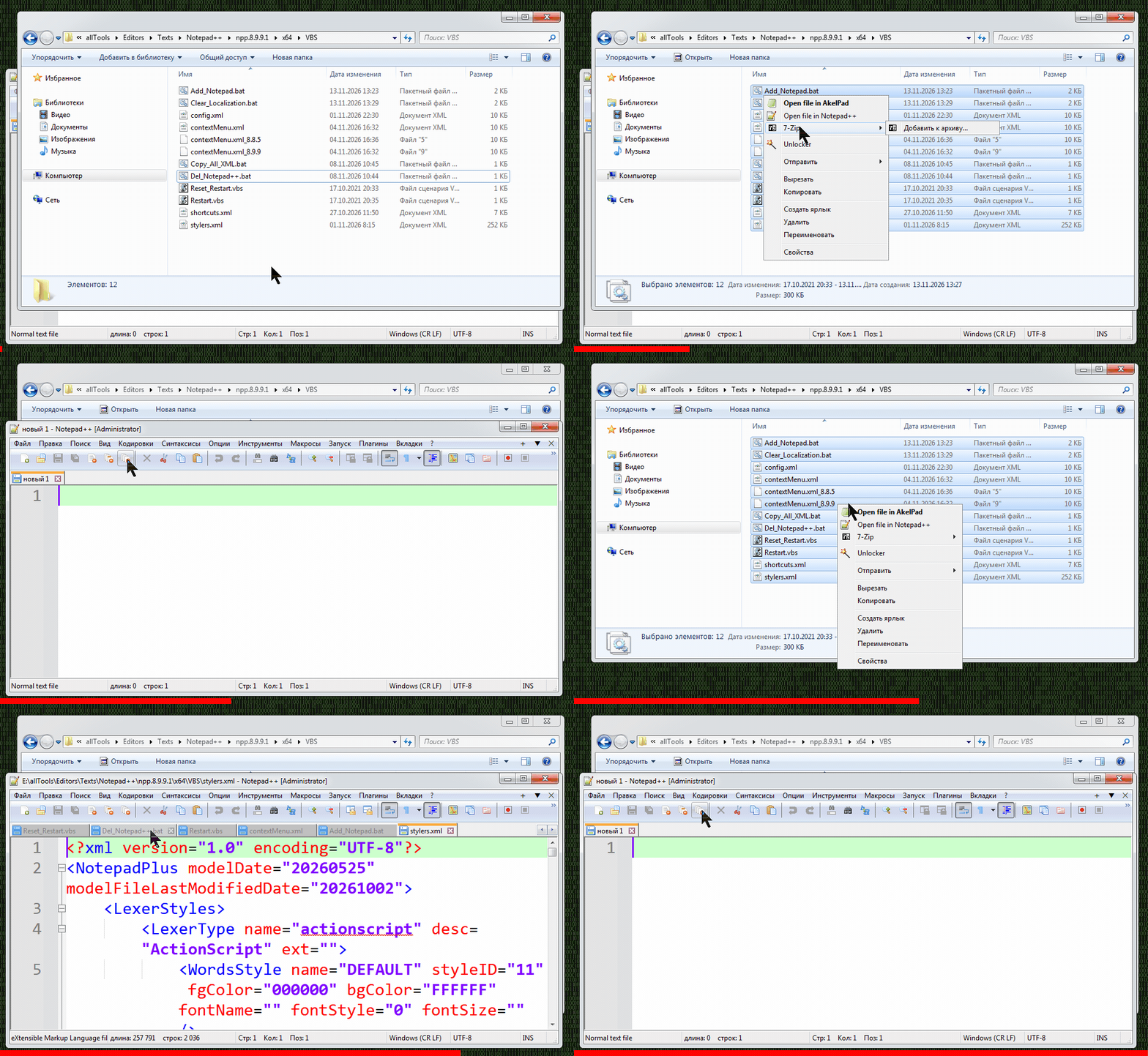
I did another test on a virtual machine with a clean version of Windows 7 x64, launched the same directory with the new version of Notepad++, and there were no file opening errors at all.
Then on the main system I ran a disk check for errors
sfc /scannowI checked the same directory again with the new version of Notepad++, and the file opening errors have disappeared for now.
-
and the file opening errors have disappeared for now.
Hopefully it will stay working. Good luck.
-
-
My paths in the registry are as straight as an arrow, this is a problem in Notepad++ itself. In previous versions, everything works perfectly!
I did another test on a virtual machine with a clean version of Windows 7 x64, launched the same directory with the new version of Notepad++, and there were no file opening errors at all.
Then on the main system I ran a disk check for errors
I checked the same directory again with the new version of Notepad++, and the file opening errors have disappeared for nowThere have been quite a few of vulnerability fixes recently, and some of them may affect older configurations. If that’s the case, there’s nothing we can do about it.
In any event, I’m glad to hear the issue has been resolved with the latest version.
Next time, please mùake sure you’ve ruled out all local causes before accusing the software. Otherwise, it may turn out to be a classic PEBKAC situation. -
Thanks a lot for changing the horizontal line in the lower part of the Find dialog! Now it’s continuous and looks much better.
To make it even more consistent, I suggest making the spacing between the vertical and horizontal lines and the edges the same. Right now it’s just a little bit off. I’d use the vertical spacing for the horizontal spacing as well.
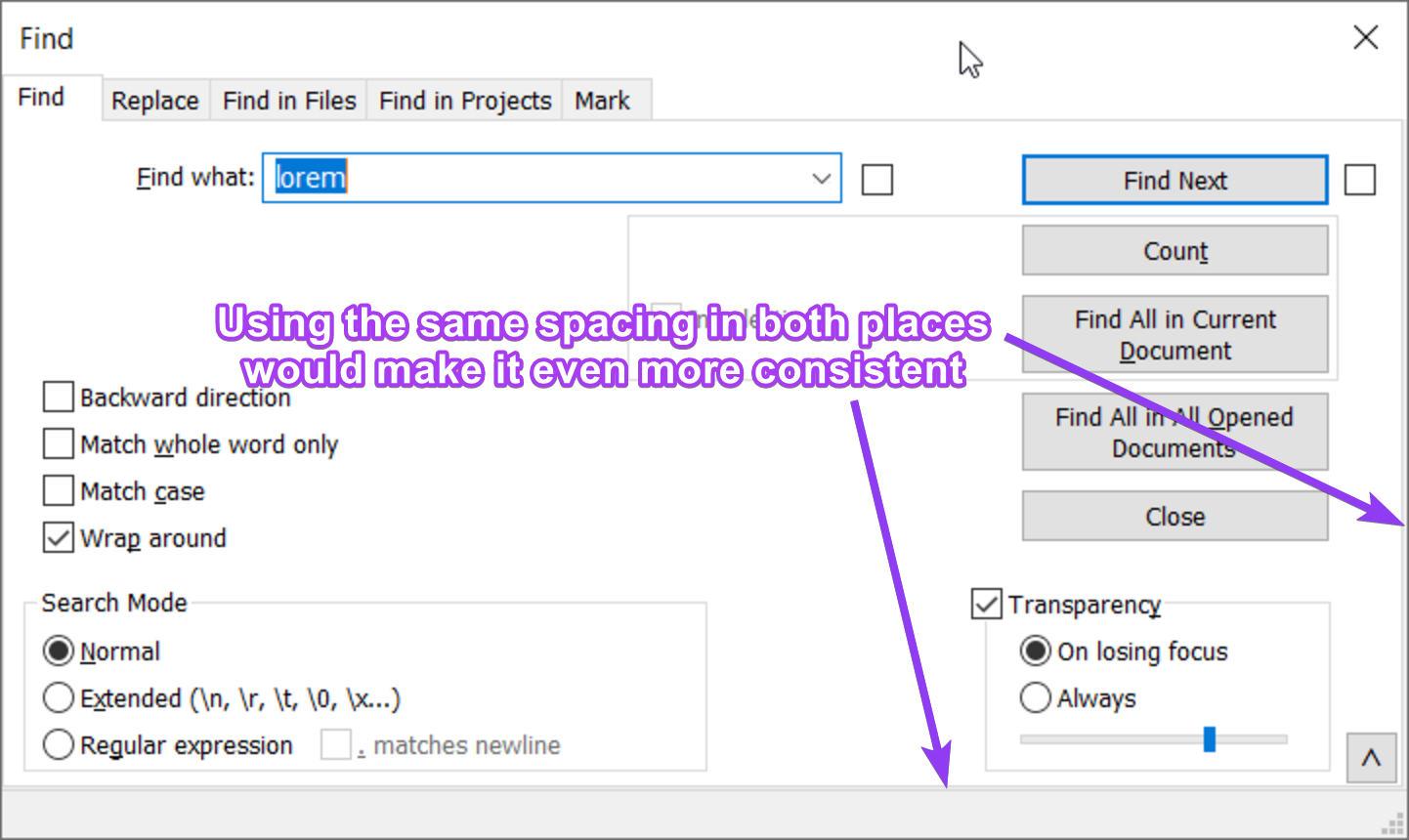
I hope I’m not being too pedantic, but I think these little details matter and make Notepad++ even better. You may not consciously notice them, but your subconscious picks up on them, and they contribute to the overall feel of the application.
-
There have been quite a few of vulnerability fixes recently, and some of them may affect older configurations. If that’s the case, there’s nothing we can do about it.
In any event, I’m glad to hear the issue has been resolved with the latest version.I don’t know what’s going on at all, today the same problem occurred again on the main system. I did a full check of the system files and found no errors. On a virtual machine with Windows 7, the portable Notepad++ works fine. Then on the main machine, I registered NppShell.dll (took it from the installation version), and that worked. My head is spinning, I don’t know what to do, I have no desire to switch to Windows 10.
-
- Add highlight all matches for Find dialog.
My 2 cents on this new feature:
I’m not opposed to it, in fact think it’s a great idea, and anticipate it being useful to my own work at times. However, as someone who tends to keep his hands on the keyboard as much as possible, and is very used to hitting the TAB key once to move from FIND WHAT to REPLACE WITH, I find the disruption to my routine rather annoying. I also don’t like that the position of the checkbox which enables it results in shortening of the FIND WHAT field, since I often populate it with lengthy strings (usually of the regex variety) and prefer to be able to see as much of its content as possible, within the confines of all else I want to keep visible on my screen. Would it be possible to move it, perhaps to directly in front of where the words FIND WHAT appear (looks like enough room there to me), without anybody else being negatively impacted? Just hoping to get a feel for whether anyone else is on board with my suggestion before pursuing it formally.





Hello! It looks like you're interested in this conversation, but you don't have an account yet.
Getting fed up of having to scroll through the same posts each visit? When you register for an account, you'll always come back to exactly where you were before, and choose to be notified of new replies (either via email, or push notification). You'll also be able to save bookmarks and upvote posts to show your appreciation to other community members.
With your input, this post could be even better 💗
Register Login