Can a resizable window be created for FIND and REPLACE?
-
hello, Can a resizable window be created for FIND and REPLACE?
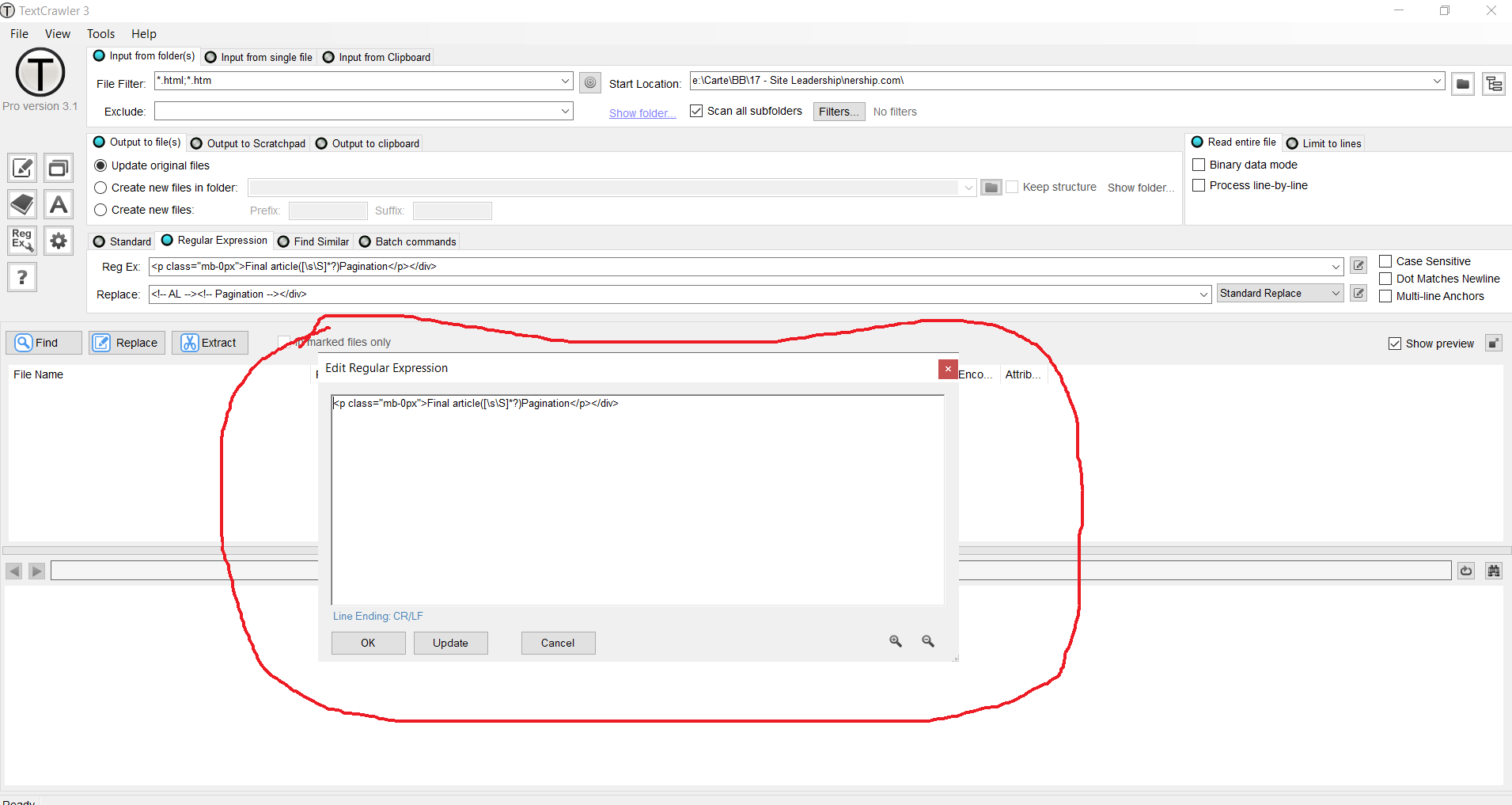
Suppose I have more lines with code, and is dificult to use so many regex expressions to change several files in a folder. Also, is very hard to use that thin FIND/REPLACE bar in ntepad++ for such as task, especialy on replace, because I must see the lines.
This is an example of Text Crawler editor, that have this resizable window on FIND and REPLACE option.
can something like this be done in notepad ++?
-
@robin-cruise said in Can a resizable window be created for FIND and REPLACE?:
is very hard to use that thin FIND/REPLACE bar in notepad++, especialy on replace, because I must see the lines
This is a nice suggestion that could ease user issues with any type of multiline find (or replace), not just regular expressions.
-
Maybe you want to make an actual FEATURE REQUEST for this?
-
@alan-kilborn said in Can a resizable window be created for FIND and REPLACE?:
Maybe you want to make an actual FEATURE REQUEST for this?
yes, I had to post elsewhere. Can my post be moved to FEATURE REQUEST section?
-
@robin-cruise said in Can a resizable window be created for FIND and REPLACE?:
Can my post be moved to FEATURE REQUEST section?
There’s no “feature request” section on this current site. It is all described in the link I provided.
-
The OP never made this a true feature request.
But it did get a mention in an issue HERE, by me.

Hello! It looks like you're interested in this conversation, but you don't have an account yet.
Getting fed up of having to scroll through the same posts each visit? When you register for an account, you'll always come back to exactly where you were before, and choose to be notified of new replies (either via email, or push notification). You'll also be able to save bookmarks and upvote posts to show your appreciation to other community members.
With your input, this post could be even better 💗
Register Login