Suggestion: contrasted scrollbar & bigger pin
-
The scrollbar on the right of the screen is always white with an almost white scrolling pin in it, no matter what style I choose. It’s really difficult for me to see where I am in the document. I have to really squint and look hard to try to find the pin. It’s also very small.
Thank you for your great program!
-
@Sim-Won ,
The right scrollbar size changes with the size of the document: it indicates what fraction of the document is visible in the current view – though it has a smallest size that’s about 1 line of text tall: that seems reasonably big to me.
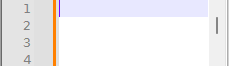
And when you hover over it, it gets wider, so it’s easier to grab:
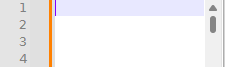
Themes (what I assume you meant by “no matter what style I choose”) don’t affect it, because themes are relevant to the editor portion of the application, not the GUI. But Dark Mode vs Light Mode does affect it:
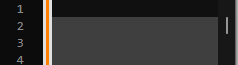
If you want the ability to change the color of the scrollbar, you would have to follow the FAQ to put in a feature request – we in the Community are fellow users, and cannot change the codebase of the application.
-–
update: the widening of the scrollbars may be a Win11 feature; if you are on older Win, it may keep constant width


Hello! It looks like you're interested in this conversation, but you don't have an account yet.
Getting fed up of having to scroll through the same posts each visit? When you register for an account, you'll always come back to exactly where you were before, and choose to be notified of new replies (either via email, or push notification). You'll also be able to save bookmarks and upvote posts to show your appreciation to other community members.
With your input, this post could be even better 💗
Register Login