Setting a file tab's Language to "Internal Search"
-
Just a bit curious about setting the language type for a file to “Internal Search”…
One can’t do this by selecting something from the Language menu (doesn’t appear there), but I can do it with PythonScript via:
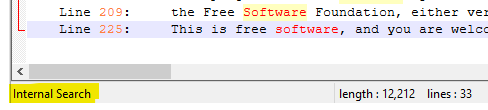
notepad.setLangType(LANGTYPE.SEARCHRESULT)and indeed when I do that I see this on the left part of the status bar:
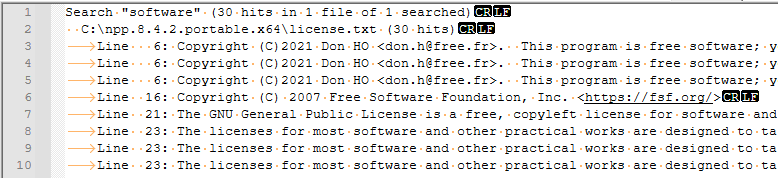
But if I then copy some text from the Search results window into the file tab, I don’t see it get lexed like it is in the Search results; it looks rather plain and without fold points, like this:
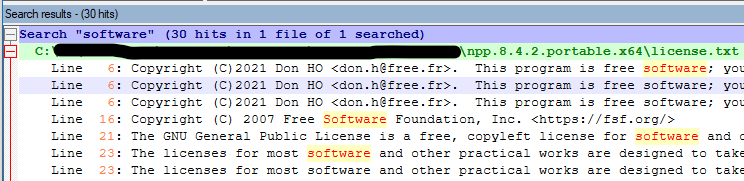
For reference, here’s a sampling from the Search results window:
Curious if anyone knows why this is, leading to a workaround? Or a pointing out to me what I am doing wrong…
-
@alan-kilborn said in Setting a file tab's Language to "Internal Search":
In order for a lexer to work it needs to know its
- keywords
- styles
- and properties
The searchResult lexer has no keywords, but one important property.
The@MarkingsStructcontains the stringified version of the struct pointer,
which contains the needed information from
where to where to color the searched words.
You must call getProperty to get this value and always set it for the tab’s buffer.copy some text from
This can become a problem if you don’t make sure
that the buffer in the tab is either an exact copy of the
search result content or at least always the top result. -
Hmm, sounds complicated…probably more effort than I want to go to, as the text I’d want to lex may not end up being exactly like “search result” text anyway.
Thanks for your thoughts on the matter. -
 A Alan Kilborn referenced this topic on
-
There is further discussion about this topic in this thread: https://community.notepad-plus-plus.org/topic/25145/find-and-display-all-duplicate-lines/

Hello! It looks like you're interested in this conversation, but you don't have an account yet.
Getting fed up of having to scroll through the same posts each visit? When you register for an account, you'll always come back to exactly where you were before, and choose to be notified of new replies (either via email, or push notification). You'll also be able to save bookmarks and upvote posts to show your appreciation to other community members.
With your input, this post could be even better 💗
Register Login