Preview value color RGB, HEX, HSL.
-
…
Interesting. My ColorizeHtmlCssColors script isn’t picking up on the ones in the style tags, but does pick up the examples like you showed. (Also, it only does #RRGGBB, not rgb(…) or #AARRGGBB)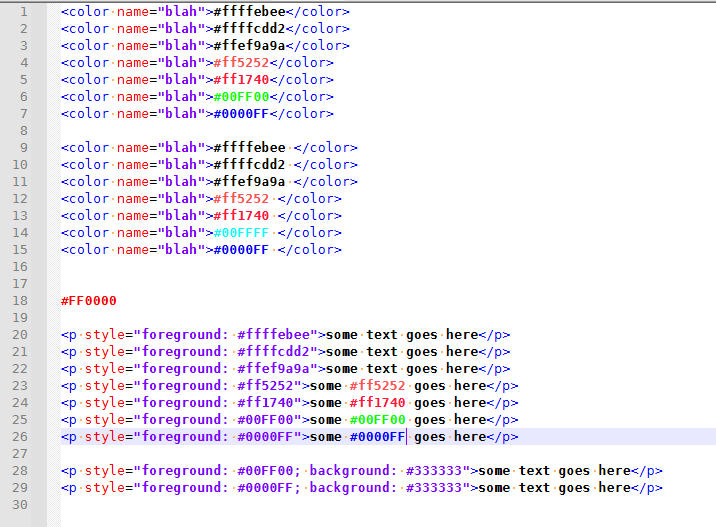
I hadn’t used my script in months (I don’t actually deal with color terms in my normal workflow), so I’d forgotten: you run it once to colorize, and another to remove the colors. But what I did remember, but probably didn’t make clear, is that if you edit a color text after running, it doesn’t update on the fly, so you then have to uncolor and recolor to get it to update.
-
@peterjones said in Preview value color RGB, HEX, HSL.:
Apparently, the QCP doesn’t recognize < as ending a color hex sequence
It does now …
Cheers.
-
@peterjones said in Preview value color RGB, HEX, HSL.:
My ColorizeHtmlCssColors script isn’t picking up on the ones in the style tags
Actually, it was, but Notepad++'s lexer coloring for being an attribute was overriding my scripts indicator. If I switch to normal text (so no lexer is active), it shows the color even inside the attribute:
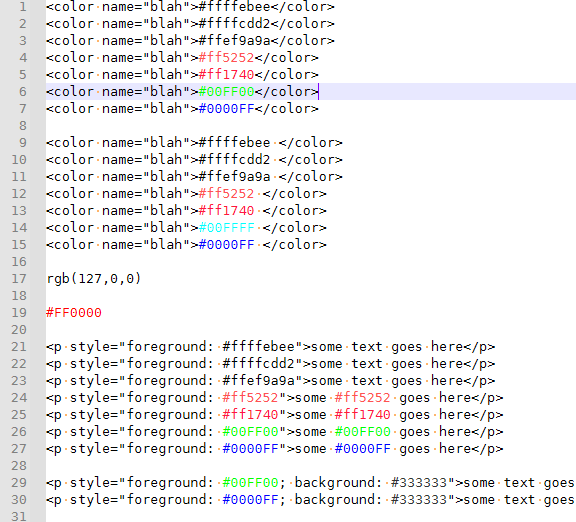
I am working on updating my script: it now allows #AARRGGBB as well. Eventually, as I find time, I might also add in the
rgb(_,_,_)syntax as well, but I’ve got a meeting in a few minutes, so not right away. -
@michael-vincent said in Preview value color RGB, HEX, HSL.:
It does now …
I did confirm:
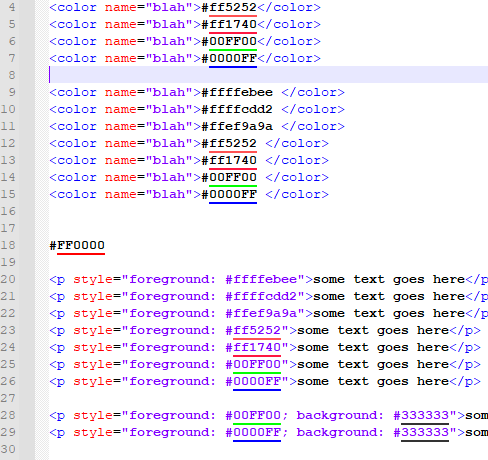
So it’s working better than my script again, since it works even with a lexer active, and accepts other endings. :-)
-
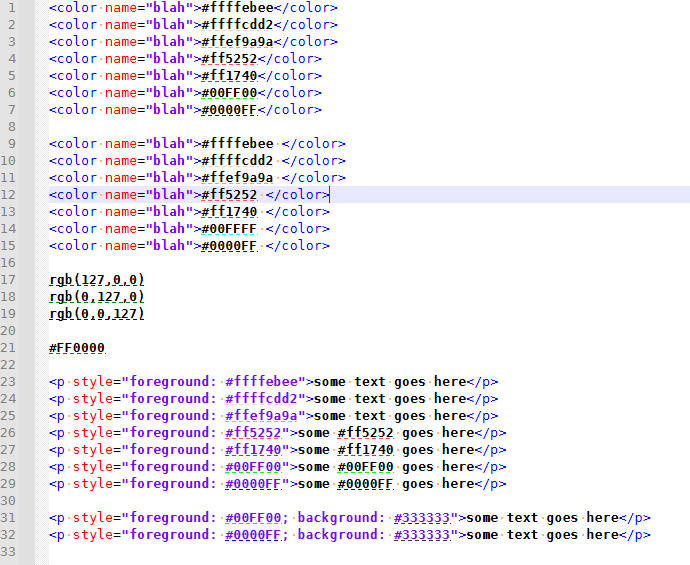
Updated the github copy of the script again…
Using dash rather than foreground. allow rgb(##,##,##) to work
-
Good script!
-
 A Alan Kilborn referenced this topic on
-
 M Michael Vincent referenced this topic on
-
M Michael Vincent referenced this topic on
-
M Michael Vincent referenced this topic on
-
M Michael Vincent referenced this topic on
-
Hi guys,
Notepad++ v 8.7.5 does not show the colors on the bottom of the code i.e. the small yellow line under #FF0000 with QCP 2.1.2.1.
Is it normal? -
Try to disable the DirectWrite mode (uncheck N++ menu Settings > Preferences… > MISC. > “Use DirectWrite” checkbox).
-
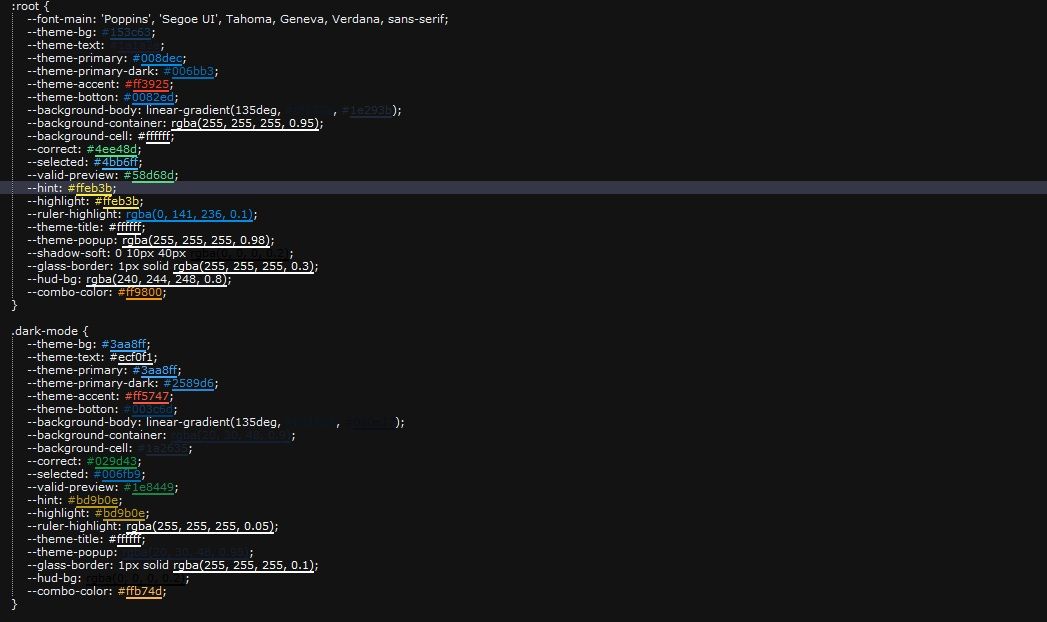
@PeterJones Hi, I managed to complete your code so that all color formats work. If you want, I can send you the code.!
-
@AutoMV-Protection Hi! Not OP, but I would love the code if you’re still willing to share!
-
@tauniaxd said in Preview value color RGB, HEX, HSL.:
@AutoMV-Protection Hi! Not OP, but I would love the code if you’re still willing to share!
What feature are you missing from the already-existing tools:
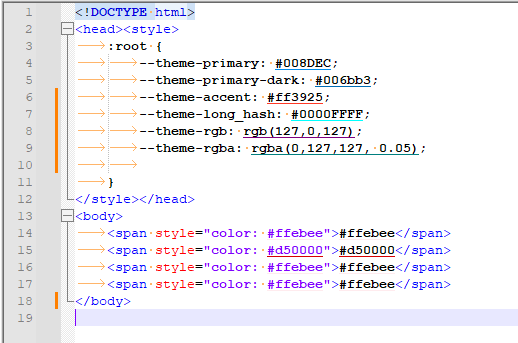
With the QuickColorPicker plugin from @Michael-Vincent’s github, https://github.com/vinsworldcom/nppQCP/releases, if you have Settings > Preferences > MISC with rendering mode set to
GDI (most compatible)(which, in January 2025 was done with unchecking the older version of that option, ☐ Use DirectWrite, which was the syntax mentioned by @xomx above), the plugin will underline all but the#12345678eight-character #-based RGB:
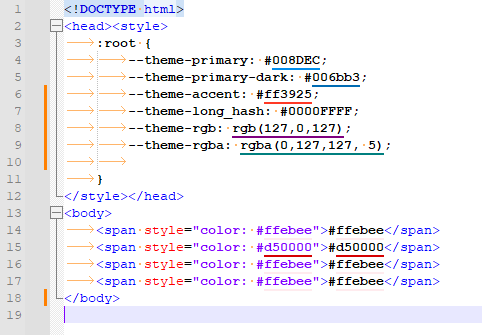
I still recommend using the plugin, not a script.
If you want a script, the on-demand version of my published script from 2022, as linked in my Jan 20, 2022 post, does the 6-digit
#123456notation and 8-digit#12345678notation and thergb(1,2,3)notation. And would take only a few lines of code difference to include the the rgba notation as well. -
I have added the ability to do
rgba(0,127,127,0.05)-type colors to the on-demand script at
https://github.com/pryrt/nppStuff/blob/main/pythonScripts/nppCommunity/21xxx/21044-ColorizeHtmlCssColors.py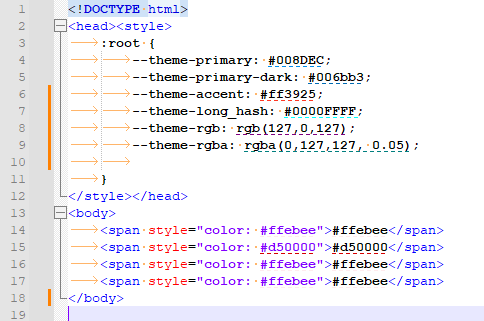
If you prefer full underline, then change lines 24 and 26 of the script to use
INDICATORSTYLE.PLAINinstead ofINDICATORSTYLE.DASH