precompiled plugins DLL c/w v8.9.1
-
I just updated to v8.9.1
Now Plugins Admin says ‘Available Updates Installed Incompatible’ which i take to mean is that the previous plugin DLL no longer works.
Have looked both here and on GItHub. Can find only source code for plugins.
Are there any precompiled plugins DLL compatible with v8.9.1
If so, where can i access them?
My days of makefiles, compilers, assemblers and disassemblers are in the distant past. I’m 80yo, and only code in HTML, JavaScript, Perl and WSH (not even PShell!)
Thank you.
-
@temp-trash said in precompiled plugins DLL c/w v8.9.1:
Now Plugins Admin says ‘Available Updates Installed Incompatible’ which i take to mean is that the previous plugin DLL no longer works.
Nope. If you are talking about the boxes of “Available”, “Updates”, “Installed”, and “Incompatible” at the top of Plugins Admin, it’s said that for years:
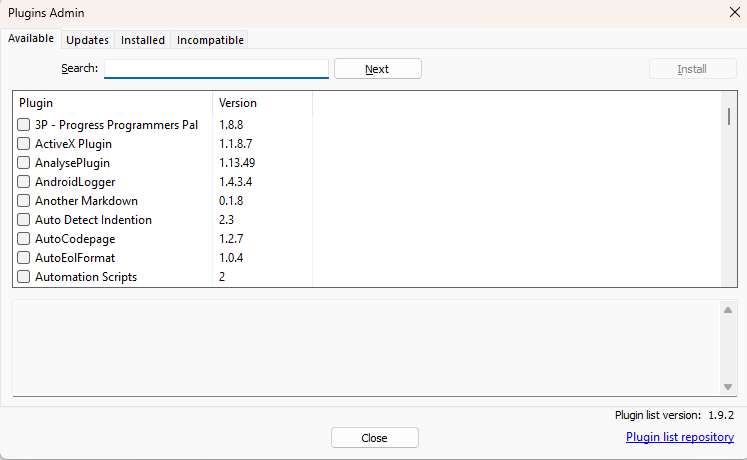
Those are the tab headers for the various “tabs” or “pages” of Plugins.
If you click on “Available” (the default one that’s selected), it shows all the plugins that are available to install (see screenshot above).
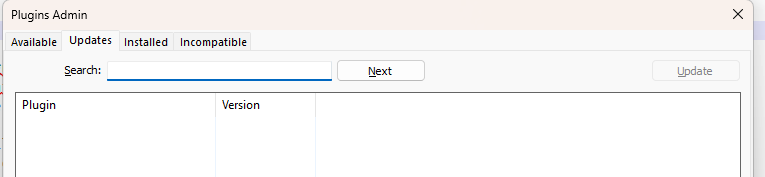
If you click on “Updates”, it shows any plugins that you have installed that have newer versions that you could upgrade to.
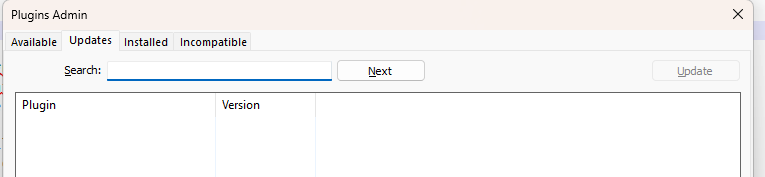
If you click on “Installed”, it will show you all the plugins that are already installed.
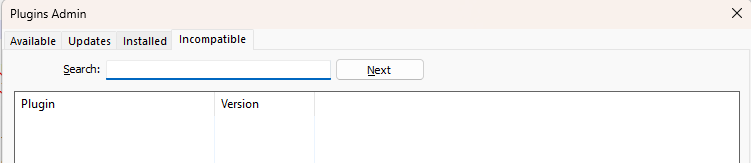
If you click on “Incompatible”, you will see all the plugins that Notepad++ quarantines because it knows those plugins can cause Notepad++ to crash (there are very few of those).
Are there any precompiled plugins DLL compatible with v8.9.1
All plugins that are listed in Plugins Admin, which you install by checkmarking a plugin on the “Available” or “Updates” tabs and clicking Install, will install the precompiled DLL for the plugin.
If so, where can i access them?
Plugins Admin.
-
Ah VERY HELPFUL.
I did not realize that what I had quoted was actually a listing of tab headers.
The shading was too subtle for me to recognize that this was not an errmsg, but were actually clickable tabs.
When v8.9.1 started, the tab which was active when opening PluginAdmin was (for whatever reason) the ‘Incompatible’ tab which was entirely blank – leading me to make my error.
Old people are such fun!
Thank you so much, all is well. Well, at least it is with NPP, which is the most one can hope for at the moment - the wider world seems to be slipping beyond repair.


Hello! It looks like you're interested in this conversation, but you don't have an account yet.
Getting fed up of having to scroll through the same posts each visit? When you register for an account, you'll always come back to exactly where you were before, and choose to be notified of new replies (either via email, or push notification). You'll also be able to save bookmarks and upvote posts to show your appreciation to other community members.
With your input, this post could be even better 💗
Register Login