Notepad++ release 8.9
-
@PeterJones
Just one more question, whyGlobal overrideis now missing in thestylelist whenGlobal Stylesis selected inLanguagelist in case of all the standard themes butGlobal overrideis still there for myDuoTone Dark Seatheme? -
@D-Lix said in Notepad++ release 8.9:
@PeterJones
Just one more question, whyGlobal overrideis now missing in thestylelist whenGlobal Stylesis selected inLanguagelist in case of all the standard themes butGlobal overrideis still there for myDuoTone Dark Seatheme?It’s not missing in any of them. It’s just been moved to the end of the list, not the beginning, since there’s very little reason to ever use Global Override, and by putting it at the beginning, people were accidentally encouraged to use the Global Override when they should have been changing the Default color instead. (That change of order was made in all distributed themes in v8.7.1.)
-
@PeterJones
I should have noticed it myself. Thank you. -
There is a character issue in v8.9:
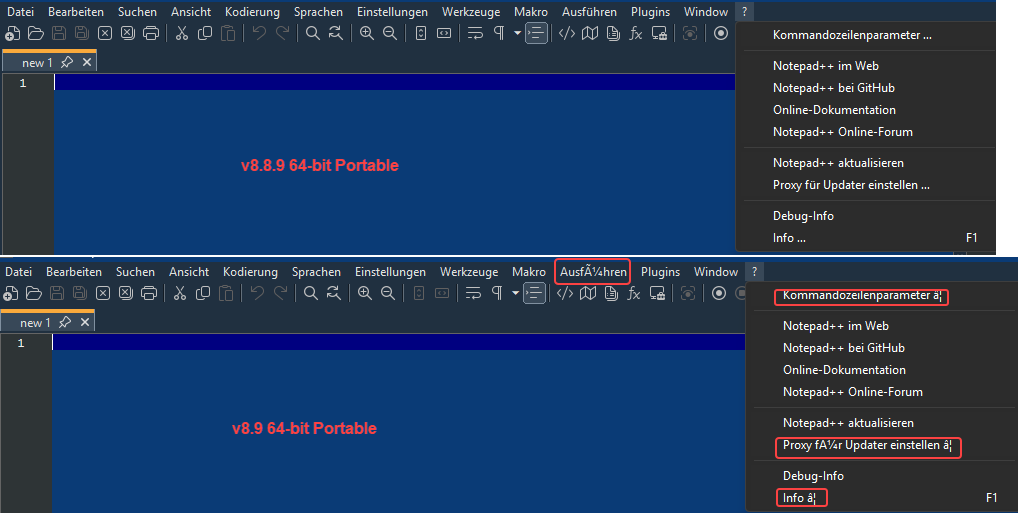
As you can see it ok in v8.8.9
-
@wimasoft
I guess it was you who deleted your post, because there’s no issue.
Do you confirm? -
@donho
yes, it was me, but I thought it would make more sense to post on GitHub.
It is an issue for German language. -
-
@donho
This is indeed strange. I have extracted v8.9 zip to my existing portable folder. Then it happen. If I extract this version to a new folder everything is ok. Must be my fault…Update: I’ve switched to English, extract new version and switched back to German. No it’s ok.
So, no issue any more. Should we delete my posts? -
@wimasoft said in Notepad++ release 8.9:
Should we delete my posts?
No, it is considered bad form to delete posts made here.
-
@PeterJones said in Notepad++ release 8.9:
(as described in the in the Update Theme(s) in User Config Directory section of the v8.8.9 Themes FAQ)
The Themes FAQ has been updated to include instructions for explaining and fixing the JavaScript if you upgraded to v8.9 and it messed up your JavaScript syntax highlighting.
-
P PeterJones forked this topic on
-
Hi guys, the screen of my laptop doesn’t work anymore, and I am away from home for a few days.
I just got the following email :just wanted you to know that at least since 8.9.9 and including 8.9,
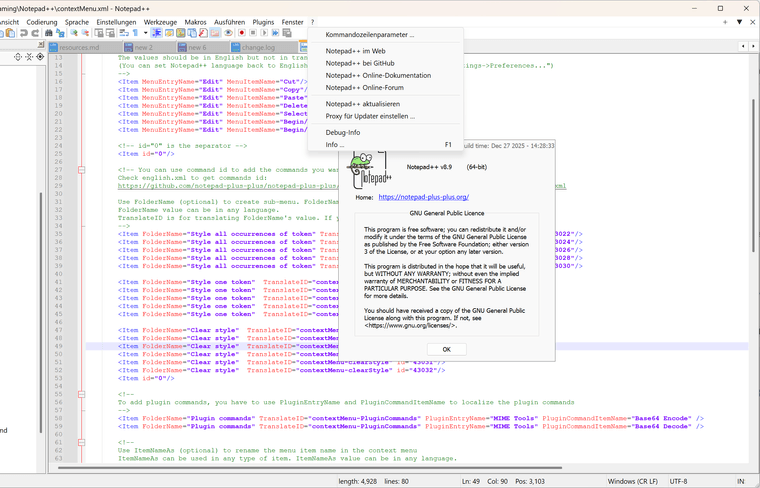
the yellow link saying " Home: https://notepad-plus-plus.org/ "
in the “about” dialog actually points to notepad-plus-plus.com
instead of .org.Win11 32bit version
Though It seems improbable, could anyone check v8.9 binaries for me please? Thanks.
-
@donho said in Notepad++ release 8.9:
Though It seems improbable, could anyone check v8.9 binaries for me please?
I tried both portable and installed (via exe installer) 8.8.9 and 8.9 binary, and the About dialog in all of those says and goes to the .org URL.
update: on re-read, I saw it said “32bit version”, so I also grabbed the 32-bit portable 8.9, and the About link was right (.org) there, as well.
-
It’s ok for both x86 and x64 v8.8.9 and v8.9 (checked portable eds).
That “h…ps://notepad-plus-plus.com” currently redirects to a parked domain:
“h…ps://ww38 . notepad-plus-plus . com”
Maybe it was used for some attack before?
-
Thank you for checking it.
Maybe it was used for some attack before?
No idea. But I think this domain cheats people to download their malwares passively rather than hack the victim actively
-
@donho
Yes, this time by “attack” I meant a phishing campaign or similar. -
Hi,
I am using 8.9 and I just noticed when I go to edit JavaScript (.js) file, all of the lines are highlighted. I looked into preferences and styles and found nothing that was turned on or off to account for this. Can you please help? The highlighting makes it very hard to read the code unless I am on just one line.
I checked the other files, and it does not happen with the language I code. It seems this is only for JavaScript (.js) files.
Joe Ruffino
Web Programmer
-
@joemidnite said in Notepad++ release 8.9:
am using 8.9 and I just noticed when I go to edit JavaScript (.js) file,
As I said a couple days ago, “The Themes FAQ has been updated to include instructions for explaining and fixing the JavaScript if you upgraded to v8.9 and it messed up your JavaScript syntax highlighting.” The instructions are there.
-
I see the instructions, but, it does not address the 2nd JavaScript theme. Would the new install delete the 2nd theme, or should I delete both before I do the update?
Joe Ruffino
-
@joemidnite said in Notepad++ release 8.9:
it does not address the 2nd JavaScript theme. Would the new install delete the 2nd theme, or should I delete both before I do the update?
I don’t know what you mean by that. The instructions tell you how to fix JavaScript in your active theme.
Specifically, it says, and I quote, “You can just copy the entire
<LexerType name="javascript.js" desc="JavaScript" ext="">...</LexerType>section from the downloaded theme(s) and paste it overtop that same section in your Config Directory and/or Installation Directory theme file(s), then save and restart to get it to take effect.”So you download the newer file to some temporary location and open it. Then you open your active theme (in either the install directory or AppData, depending on whether you’ve customeized your theme or not), and you paste the
javascript.jssection from the temporary file overtop thejavascript.jssection from your active file. Then you save, and restart Notepad++.if you haven’t customized your theme at all (no changes to font or color or user keywords or user extensions anywhere), then it’s even easier: just download the file, and save it in your install directory’s themes subdirectory, and restart.
-
D datatraveller1 referenced this topic on
-
@donho said in Notepad++ release 8.9:
Auto-update will be triggered for this release in 1 week, if no critical issues found.
Serious tinyxml-2 regression found:
https://community.notepad-plus-plus.org/topic/27339/enter-key-duplicated-in-macros



Hello! It looks like you're interested in this conversation, but you don't have an account yet.
Getting fed up of having to scroll through the same posts each visit? When you register for an account, you'll always come back to exactly where you were before, and choose to be notified of new replies (either via email, or push notification). You'll also be able to save bookmarks and upvote posts to show your appreciation to other community members.
With your input, this post could be even better 💗
Register Login