'Find in Files' doesn't appear to work
-
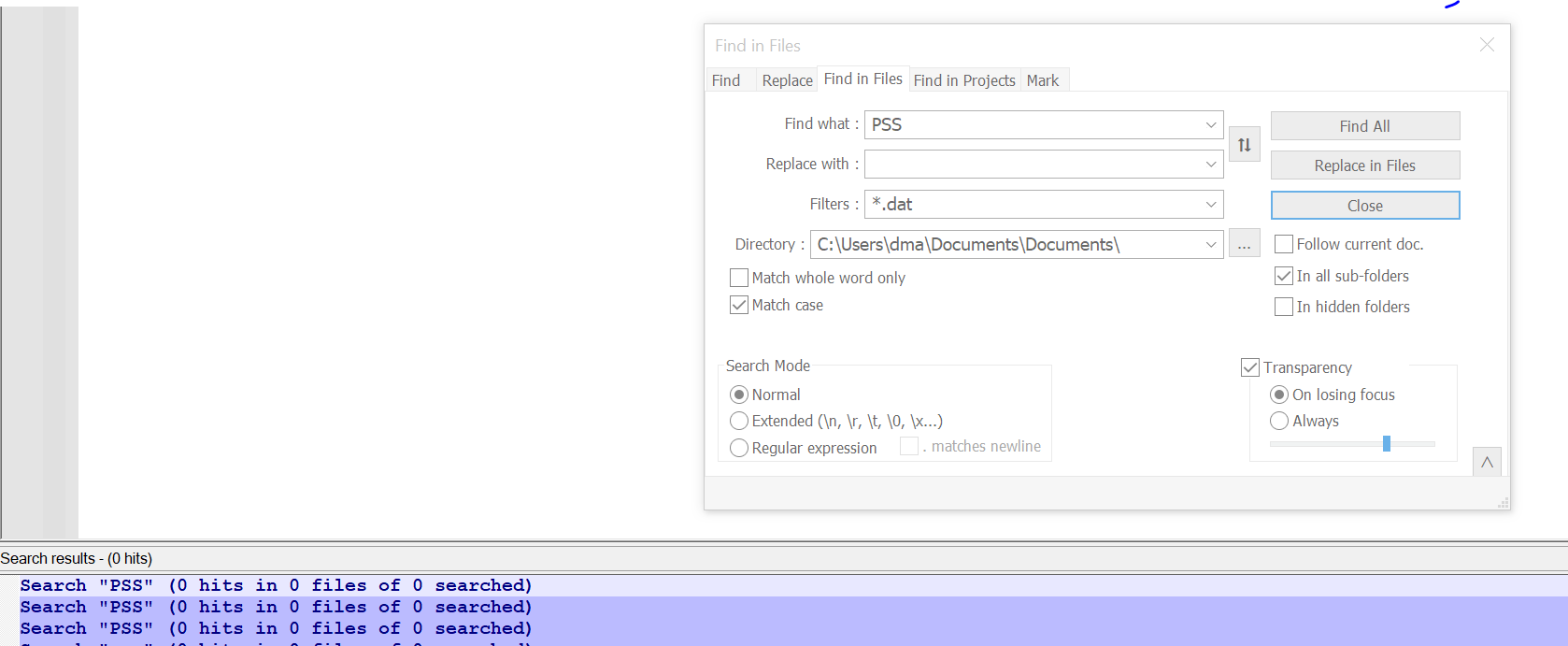
Here’s what I see; there are lots of .dat files, but none get searched. What am I doing wrong?
-
@D-Mac said in 'Find in Files' doesn't appear to work:
What am I doing wrong
Do you know what is actually in the DAT files you are searching for. DAT is a fairly generic extension for a file format. It could be ordinary text, or it could be binary information or a mixture. If it isn’t just pure text then you are using the wrong application to search the content of the DAT file.
What application created these files, that would be a start to understanding what type of content there is.
Terry
PS you could just open 1 DAT file in Notepad++ to see what the content looks like. Just don’t make any changes nor save it and you won’t cause any problems.
-
Is it possible that you have line-ending character(s) after the second
S? -
@D-Mac said in 'Find in Files' doesn't appear to work:
What am I doing wrong?
Are you sure your directory is correct?
DocumentswithinDocuments? -
@Coises said:
Are you sure your directory is correct? Documents within Documents?
If a folder doesn’t exist, I think when the search is initiated, input focus will immediately jump to the
Directory:box, signaling a problem with that folder to the user (without a message box). Not on a PC right now, so can’t verify; going from memory. -
@Alan-Kilborn said in 'Find in Files' doesn't appear to work:
If a folder doesn’t exist, I think when the search is initiated, input focus will immediately jump to the
Directory:box, signaling a problem with that folder to the user (without a message box). Not on a PC right now, so can’t verify; going from memory.I see you are correct. However… I also see that the search results show 0 files searched. So I don’t see how it could be a problem with what is in the Find box. The directory might exist, but not be the one OP meant to search.