• All the off-topic go here

    Pinned
    4
    3 Votes
    4 Posts
    6k Views
    guy038G

    Hello, All,

    Like most of you still using Windows 10, I decided to migrate to Windows 11, at the end of october, because my computer was compatible ( BIOS with UEFI boot, TPM module and DirectX 12 )

    I eagerly awaited the November 11, 2025 update, which should have brought us a new Start Menu, correcting some of the current limitations However, no such update occured, so far, on my laptop :-((

    Of course, I know that I could use the GitHub tool, named ViveTool.exe. After downloading and extracting the last release https://github.com/thebookisclosed/ViVe/releases/tag/v0.3.4, I would have run, in an Administrator Commmand Prompt window, the command vivetool /enable /id:47205210 to get the new Start Menu, after a complete restart. Moreover, this action seems safe as we can revert back to our present Start Menu with the command vivetool /reset /id:47205210

    Ultimately, I prefer to wait for the usual Windows 11 staged roll-out to work in my favor !

    But, if you’re interested to test it, read, first, this recent article

    In this other article

    it is also said :

    ViVeTool is an open-source tool to unlock hidden features in Windows. It directly interacts with Windows Feature Management, which is the A/B testing system Microsoft uses. ViVeTool calls the official APIs and doesn’t hack or modify Windows files, so it’s mostly safe to use as long as you use it with correct variables.

    So, in the meanwhile, I tried to get used to the main aspects of Windows 11, which doesn’t change, fundamentally, my workflow ! Among other things, I updated my Win 10 list of shortcuts related to the Windows key and, little by little, I included, in that list, a lot of other shortcuts related to main applications of the Microsoft world.

    Here is the outline of this list, related to Windows 11 shortcuts :

    Shortcuts about the Windows and Office keys Shortcuts about Desktops and Taskbar Shortcuts about Text editing and Dialog boxes Shortcuts about Accessibility and the Magnifier feature Shortcuts about main applications (File Explorer, Terminal and DOS prompts, Microsoft Edge) Shortcuts about various applications (Google Maps, Settings, Xbox Game, Calculator, Sticky Notes) Shortcuts about audio / video applications (Movies & TV, Media Player, Photos, Sound Recorder) Shortcuts about drawing applications (Paint, Paint 3D) Shortcuts about basic text editors (Wordpad, Notepad)

    You can get this list, named W11_Shortcuts.txt, from my Drive account :

    https://drive.google.com/file/d/1Wt03527NLrg-bNfKFK1x_0QqdxnSB4PU/view?usp=sharing

    Notes :

    These shortcuts are those used with a standard American / English keyboard. As I’m French, I noted some variations with my French keyboard ! Thus, for any other language, some shortcuts may be different and not very easy to find out !

    Google Chrome’s shortcuts are not described in this list as I simply use the native Edge browser of Microsoft

    Moreover, all Microsoft 365 applications are not listed, so far !

    IMPORTANT :

    Some Microsoft UWP applications (Media Player, Paint, Paint 3D, Sound Recorder, Wordpad, Notepad) have additionnal shortcuts based on the Alt key, and generally tied to each user language. To show all of them, open these applications and simply hit the Alt key. You may, also, open any menu and hit the Alt key to get some new Alt available shortcuts. As they generally depend on each user language, these specific shortcuts are mostly not included in this list !

    Now, all these shortcuts consist of one or more keys from the list below :

    The Windows key, on the left side of the main keyboard

    The Office key, on the right side of the main keyboard

    One of the two Control keys, on both sides of the main keyboard : Ctrl

    One of the two Shift keys, on both sides of the main keyboard : Shift

    The Alternate key , on the left side of the main keyboard : Alt

    The Letter keys : Any upper-case letter, for example C

    The Symbol keys : Any symbol surrounded with parentheses, for example (+)

    Remarks :

    Some shortcuts are specific to the main keyboard => indication (Main)

    Some shortcuts are specific to the numeric keypad => indication (Numpad)

    Of course, if any shortcut have been left out of this list, please, let me know ! On the other hand, feel free to ask me about shortcuts that seem still unclear to you !

    I personally did not understand 9 shortcuts, which are identified, in this list, with the ??? mark, right after the shortcut !

    Best Regards,

    guy038

    P.S. :

    Do not forget to only reply within this off-topic thread !

  • You've a lot of reasons to hate Notepad++

    Pinned
    89
    5 Votes
    89 Posts
    145k Views
    Walter CookW

    @Travis-Owens231 Thank You, Travis

    It’s like boycotting the Google because you don’t like the political views of your neighbor because he delivers mail to an executive the works for Google! I can promise you, if you lived like that you would never be able to use anything.

    I guess we better start checking the political opinions of whomever is administering each server between our computers and every site we visit!

    People, Just Chill!

    Walter Cook

  • The author asks to finance the war

    15
    -3 Votes
    15 Posts
    12k Views
    James Burke 0J

    @Maurizio-Scian The real problem is that most Americans don’t know left from right. True right wingers wear BLUE ball hats. American right wingers wear RED ball hats. Now is that fucked-up or what? And what’s more, real communists restore old American cars and put diesel engines in them without catalytic converters. America communists ride electric bicycles and believe in climate change. Lets try to keep this in mind when discussing politics.

  • Bug Report

    8
    0 Votes
    8 Posts
    1k Views
  • notepad++,政治言论独裁的软件而已

    2
    -1 Votes
    2 Posts
    5k Views
    Jonathan JohansenJ

    @王阿喵 I’m a new member of the forums. I’m sorry that statement upsets you. It’s a benefit of being a person where you won’t be censored, that you can say what you want. The bananas metaphor may just lead to a worse relationship, right? Open source projects can be copied though, and if you can get a few people to agree, you can start a competing open source product, right? May the peace of Christ be with you, friend.

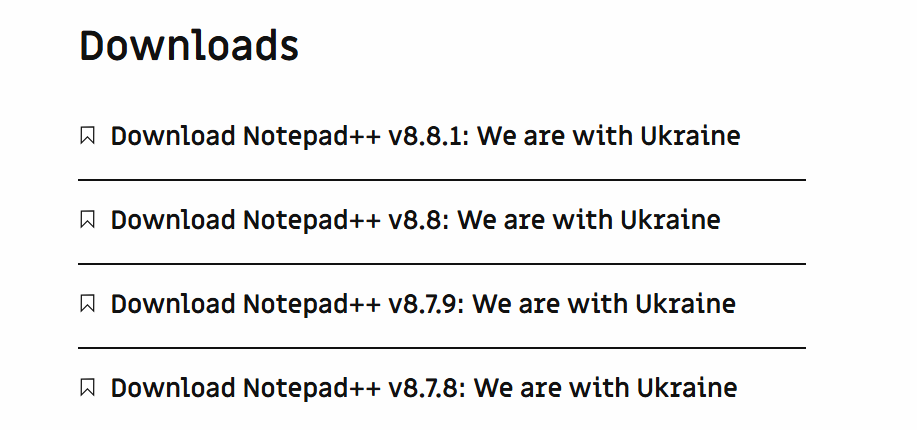
  • We are with Ukraine

    4
    -1 Votes
    4 Posts
    6k Views
    王阿喵

    @Deniss-Johanssen 虽然乌克兰遭到了毁灭,但则连斯基的人民得到了那些所谓的明主自由

  • Yeah! Screw these guys and their awesome free software!!

    1
    1 Votes
    1 Posts
    3k Views
    No one has replied
  • What an idiot

    1
    -4 Votes
    1 Posts
    3k Views
    No one has replied
  • Is there a We don't stand with Ukraine version?

    Moved
    2
    -2 Votes
    2 Posts
    7k Views
    CoisesC

    @Aaren-Myatt said in Is there a We don't stand with Ukraine version?:

    I don’t think labelling a stance on a war on a software download is very sensible.

    The developer who has made this software possible clearly believes in the cause enough to attach it to his work. If that troubles you too much for you to feel good about using it, it’s open source software. You can clone it on GitHub and build it yourself with any changes you like.

  • Download Says we are with Ukrine

    1
    -1 Votes
    1 Posts
    3k Views
    No one has replied
  • FKCING aHOLE Don Ho

    7
    -8 Votes
    7 Posts
    8k Views
    Dan AD

    @Terry-R I was referring to Notepad++, yes. I found an alternative, so it’s all good.

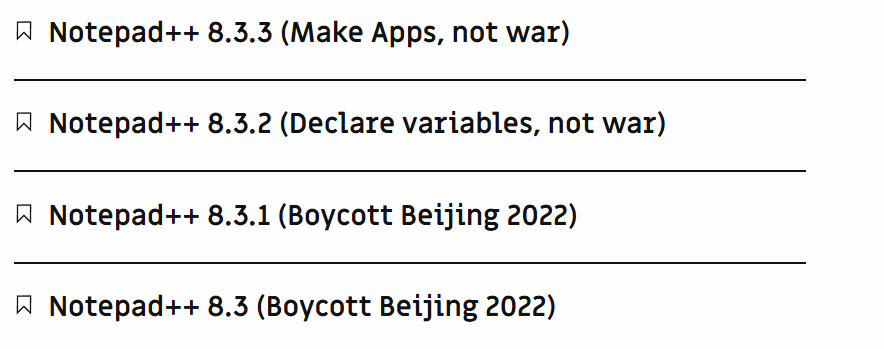
  • New slogan for Notepad++

    5
    1 Votes
    5 Posts
    10k Views
    J

    @AZJIO-AZJIO said in New slogan for Notepad++:

    No to US biological laboratories in the countries they occupied.

    No Guantanamo

    No political slogans.

    Notepad++, (and the forums by extension), should be focused on Notepad++, not the opinions, (objective or otherwise), of their respective owners.

    If you want to support the Ukraine, there are lots of ways, and lots of forums to do that within.

    If you want to support/oppose [whatever], start your own blog. Participate in forums that are dedicated to the causes you support, participate in your government, run for office, vote, just don’t whine.

    If you don’t like U.S. policies, and you’re a citizen of the U.S., then get off your fat ass and vote! (If I had one dollar for everyone who DIDN’T vote this last election, I’d be a bazillionare!) Participate in your government instead of sitting on the couch whining and moaning. If you don’t vote and don’t want to participate, then you don’t have a right to gripe and I don’t want to hear it.

    If you’re not a citizen of the U.S. - especially if you don’t live there - then you can write to the local Embassy, or talk to your own government leaders.

    Everyone else’s whining and moaning 2>&1 /dev/null.

  • Where's the Kudos thread?

    1
    4 Votes
    1 Posts
    3k Views
    No one has replied
  • [BUG] Updating removes my doLocalConf.xml every time

    6
  • Lost session after update

    4
  • Regarding 'Notepad++ v8.4.3 - Unhappy Users' Edition'

    12
    9 Votes
    12 Posts
    5k Views
    Mark OlsonM

    @Coises
    @rdipardo

    Yeah, notionally plugins have to follow all these licensing rules. But in practice, there are plenty of closed-source plugins out there, and it doesn’t seem like they’ve faced any consequences for doing that.

  • Complete silence on Gaza and the treatment of Palestinians.

    7
    -4 Votes
    7 Posts
    8k Views
    A

    Everyone is fed up with the hamastinians and UNRWA corruption, please move on and keep your propaganda for yourself. There are plenty of discords you can join to share your brainwashed views.

  • why virtue signaling?

    3
    -1 Votes
    3 Posts
    6k Views
    A

    There is no point other then taking users hostage of the author’s views.
    As much as I (and we all should) support Taiwain in their fight against the fascist bully that the PRC is, virtue signaling has no place in software development.
    I support the author 100% on Taiwan, but disagree at 90% on the Trump part.
    This is wokism plain and simple, and it alienates more than half your audience. Author is French and should know better.

  • Your forum UI is non-standard and almost prevented me getting help.

    9
    0 Votes
    9 Posts
    5k Views
    Alan KilbornA

    @KoliadaES-Release said in Your forum UI is non-standard and almost prevented me getting help.:

    Nobody reads anything these days, esp. when they first ‘jump in`

    But few proceed to just totally bitching about it; perhaps you’re a rare individual.
    Going on a rant is fine, but it is best if it is an “educated rant”.

    I’m sure that Peter’s recent effort (above), which is just more for you to read, is certain to be ignored.

  • Where do I report errors?

    5
    0 Votes
    5 Posts
    2k Views
    Joseph MillenbachJ

    @oleviolin

    Nice to see someone else frustrated/confused by the organization here.

    And in case anybody else sees this later… Reverting to the previous working version is another workaround idea. Assuming you need it now, and don’t mind working around the automatic update automation (if enabled for you).

    If you can find a bug online they often will tell you when the issue started. Or you can just start installing from an older setup version and testing. Keep trying something older until it works again. Or use the last version you’d been on…